
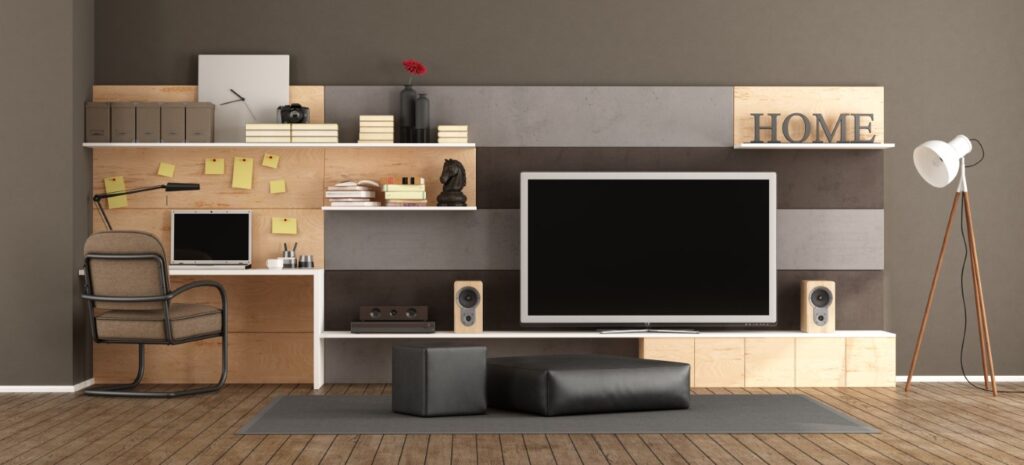
Cleaning electronics requires a careful approach to avoid damaging sensitive components. Dust, smudges, and grime can impact performance, so it’s important to use the right tools and techniques. This guide will walk you through the safest ways to clean electronics like TVs, laptops, smartphones, and other household devices you likely have in your house.
Why Cleaning Your Electronics Matters
Keeping your electronics clean isn’t just about aesthetics—it helps improve performance and longevity. With the Treasure Valley being such a hot spot for Avimor locals to go hiking, fishing, and camping, you’re likely to bring more nature into your house than you’d like. Over time, all of that dirt and dust and accumulated fingerprints may potentially affect performance. Regularly taking time to clean electronics prevents dust buildup, which can clog vents and cause overheating in devices like computers and gaming consoles. Smudges on screens reduce visibility, and bacteria on phones and keyboards can pose hygiene risks.
Regular cleaning helps maintain efficiency and prolongs the lifespan of your gadgets. Proper clean electronics practices are essential, as cleaning these devices incorrectly can lead to irreversible damage. Whether you’re wiping down your laptop, TV, or gaming console, following the right techniques will keep them in top condition.
Handy Supplies for Cleaning Electronics
Before you begin, gather the right cleaning materials:
- Microfiber cloths – Soft and lint-free, perfect for delicate surfaces.
- Compressed air – Helps remove dust from vents, keyboards, and crevices.
- Isopropyl alcohol (70% or higher) – Ideal for disinfecting surfaces without harming electronics.
- Distilled water – Prevents mineral buildup that tap water can leave behind.
- Soft-bristle brush – Useful for dislodging dust from tricky spots.
- Cotton swabs – They help to clean tight spaces like headphone jacks.
How to Clean Different Electronic Devices
1. Cleaning Your TV or Computer Monitor
- Turn off and unplug the screen before cleaning.
- Use a dry microfiber cloth to remove dust and fingerprints.
- For stubborn smudges, lightly dampen the cloth with distilled water or a 50/50 mix of distilled water and isopropyl alcohol.
- Never spray liquid directly on the screen—apply it to the cloth instead.
- Avoid paper towels or rough materials that could scratch the screen.
2. Cleaning Your Smartphone or Tablet
- Power off your device before cleaning.
- Wipe the screen and body with a microfiber cloth.
- For disinfection, apply a small amount of isopropyl alcohol to a cloth and gently wipe the surface.
- Use a cotton swab dipped in alcohol to clean around buttons and ports.
- Avoid getting moisture into the charging port or headphone jack.
3. Cleaning Your Laptop or Computer
- Shut down and unplug your computer.
- Use compressed air to blow dust from the keyboard and vents.
- Wipe the screen with a microfiber cloth and a diluted alcohol solution if necessary.
- Clean the keyboard with a slightly damp cloth and disinfect frequently touched keys.
- For deeper keyboard cleaning, remove keys (if possible) and use a soft brush or compressed air to clear debris.
4. Cleaning Gaming Consoles and Controllers
- Unplug the console before cleaning.
- Use compressed air to clear dust from vents and ports.
- Wipe the exterior with a microfiber cloth and mild cleaning solution.
- For controllers, clean buttons and crevices with a cotton swab dipped in alcohol.
- Avoid harsh chemicals that could fade or damage plastic parts.
5. Cleaning Home Assistants, Speakers, and Smart Devices
- Dust speakers and smart devices regularly with a microfiber cloth.
- Use a soft brush to remove dirt from speaker grilles.
- For touchscreens, follow the same cleaning process as tablets and smartphones.
- Keep liquid cleaners away from speaker mesh and charging ports.
Mistakes to Avoid When Cleaning Electronics
- Using too much liquid: Excess moisture can seep into devices, causing short circuits.
- Applying cleaning products directly to electronics: Always spray onto a cloth first.
- Using rough materials: Paper towels and harsh cloths can scratch screens.
- Skipping routine cleaning: Regular maintenance prevents dust buildup that leads to overheating.
How Often Should You Clean Your Electronics?
- Smartphones and tablets: Wipe down daily and deep clean weekly.
- Laptops and keyboards: Dust weekly and sanitize keys as needed.
- TVs and monitors: Dust weekly and deep clean once a month.
- Gaming consoles: Dust every two weeks and deep clean quarterly.
- Smart speakers and home assistants: Wipe down every few weeks.
Need A Team to Handle House Cleaning Needs?
Keeping your electronics clean not only improves their appearance but also extends their lifespan and ensures better performance. Learning how to clean electronics properly, using the right techniques and avoiding common mistakes, helps you safely maintain your devices without causing damage.
That said, if you need a spotless home to match your pristine electronics, let Fabulously Clean House Cleaning handle the rest! Our professional house cleaning services in Avimor, ID ensure every corner of your home is fresh, clean, and stress-free. Get a free quote today by calling (208) 608-4648!
Frequently Asked Questions
Why is it important to clean electronics regularly?
Regular cleaning prevents dust buildup, improves device performance, reduces overheating, and helps prolong the lifespan of TVs, laptops, smartphones, and other electronics.
What supplies do I need to safely clean my electronics?
Use microfiber cloths, compressed air, isopropyl alcohol (70%+), distilled water, soft-bristle brushes, and cotton swabs for effective and safe cleaning.
Can I spray cleaning solution directly onto my screens?
No. Always spray cleaning solution onto a cloth first, then gently wipe your device. Spraying directly can cause liquid to seep into sensitive components.
How often should I clean my smartphone or tablet?
Wipe down daily with a microfiber cloth and disinfect weekly using a small amount of isopropyl alcohol applied to the cloth.
What’s the best way to clean a TV or computer monitor?
Turn off and unplug the screen. Use a dry microfiber cloth for dust, and a lightly dampened cloth with distilled water or a 50/50 alcohol-water mix for stubborn smudges. Avoid paper towels.


 by:
by: 